SMS Alerts Terms
Effective October 19, 2026
Spartan Systems ("Spartan," "we," "us") offers optional text-message alerts to people who use the Spartan procurement intelligence platform at data.spartansystems.us. This page explains what we send, how you sign up, and how to get help or stop.
1. What you get
Spartan Systems alerts are automated text messages about your own account:
- new Defense Logistics Agency (DLA) solicitations that match the alert criteria you save in Spartan, and
- reorder alerts for inventory items you watch.
We don't send marketing or promotional texts. Message frequency varies with the alerts you set up. A typical alert reads:
Spartan alert: 3 new solicitations match "Hydraulic fittings". BOLT, MACHINE - Sol# SPE4A524R0001, Qty: 5002. How to sign up
Text alerts are off for every account until its user turns them on. Signing up takes three steps in the Spartan app. (Personal details are hidden in these screenshots.)
Step 1: Add your mobile number
Signed in to Spartan, open Settings → Profile and enter your mobile number. We text a one-time code to that number to confirm it's yours.
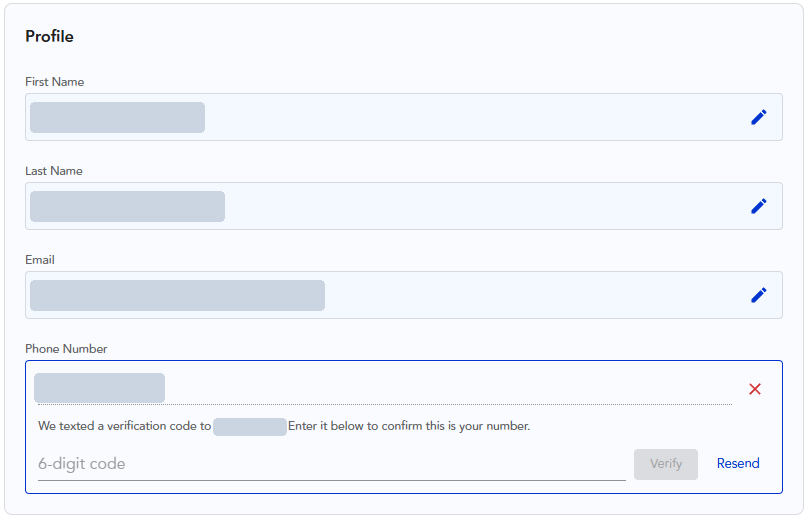
Step 2: Confirm the code
Enter the code and the number shows as Verified. Verifying a number does not sign you up for alerts.
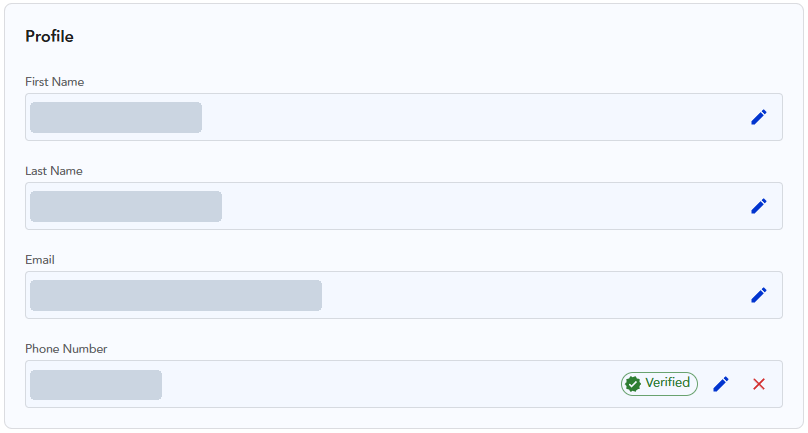
Step 3: Agree to receive text alerts
Open Settings → Notifications. Next to an unticked box, the page shows:
Tick the box and select Save. The box is never ticked for you, and you can use every part of Spartan without it. We record when you agreed.
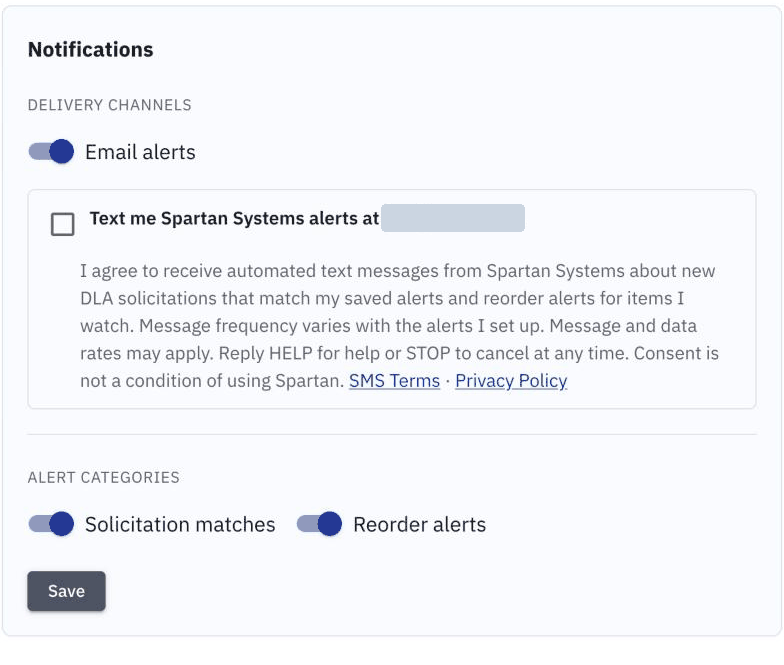
Right after you sign up, we send one confirmation text:
Spartan Systems: You're signed up for alert texts. Msg frequency varies. Msg & data rates may apply. Reply HELP for help, STOP to cancel.3. How to stop
Reply STOP to any message (CANCEL, END, QUIT, UNSUBSCRIBE and STOPALL work too). You're unsubscribed straight away and get no more alerts. You can also untick the box in Settings → Notifications and save.
To sign up again, reply START or tick the box again.
4. Help
Reply HELP to any message and we'll answer with:
Spartan Systems: DLA solicitation and reorder alerts. Msg frequency varies. Msg & data rates may apply. Reply STOP to cancel. Help: sales@spartansystems.usYou can also email sales@spartansystems.us.
5. Costs and delivery
Spartan doesn't charge for text alerts. Message and data rates may apply from your mobile carrier. Carriers are not liable for delayed or undelivered messages.
6. Privacy
We do not share your mobile phone number or your SMS opt-in and consent information with third parties or affiliates for their marketing or promotional purposes. Our SMS provider receives your number only to deliver the messages you asked for. See our Privacy Policy for more.
7. Contact us
Spartan Systems
sales@spartansystems.us